Federation Plugin
@farm.js/federation lets one Farm application publish browser modules and another load them at
runtime. It fits independently deployed product areas, gradual migrations, and UI owned by separate
teams when a shared package and one release pipeline are no longer enough.
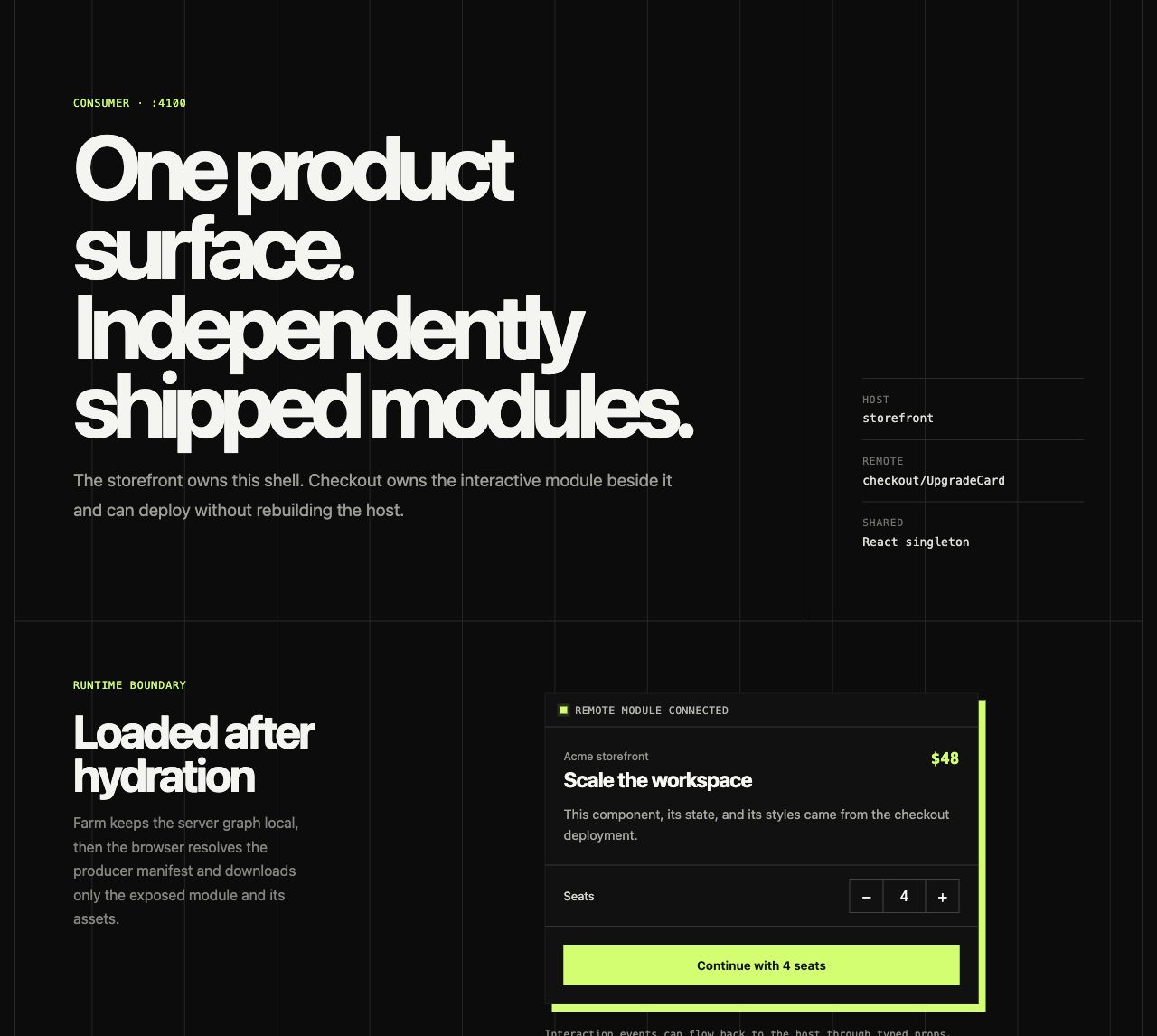
The initial release is browser-only. Pages can load remote components after hydration, but Server Components, server functions, server queries, API handlers, environment variables, and credentials remain owned by the application that defines them. RFC #885 tracks a separate server-federation design with explicit trust and isolation boundaries.
Install
Install the package in every producer and host:
pnpm add @farm.js/federationPublish a module
The producer exposes local browser modules from farm.config.ts:
import { defineConfig } from "@farm.js/core";
import { federation } from "@farm.js/federation";

export default defineConfig({
  plugins: [
    federation({
      name: "checkout",
      exposes: {
        "./UpgradeCard": "./src/components/upgrade-card.tsx",
      },
      publicPath: "https://checkout.example.com/",
    }),
  ],
  routeRules: {
    "/**": {
      cors: true,
      headers: {
        "Cross-Origin-Resource-Policy": "cross-origin",
      },
    },
  },
});
A production build emits mf-manifest.json, a remote entry, and the chunks required by exposed
modules. publicPath must be the public producer origin or base URL, not an internal build URL.
Cross-origin hosts also need permission to read the manifest and chunks. The routeRules above are
appropriate for a producer whose public assets are intentionally available to other origins.
Configure a host
The host names each producer and points to its public manifest:
import { defineConfig } from "@farm.js/core";
import { federation } from "@farm.js/federation";

export default defineConfig({
  plugins: [
    federation({
      name: "storefront",
      remotes: {
        checkout: {
          entry: "https://checkout.example.com/mf-manifest.json",
        },
      },
    }),
  ],
});
Use one federation() call per application so names, shared packages, and runtime initialization
have one authoritative configuration.
Load after hydration
Remote browser code cannot render during SSR. Load it from a client component effect or an event handler and render an explicit loading and failure state:
"use client";

import { loadRemote } from "@farm.js/federation/client";
import { useEffect, useState, type ComponentType } from "react";

interface UpgradeCardProps {
  workspace: string;
  onUpgrade?: (seats: number) => void;
}

interface UpgradeCardModule {
  default: ComponentType<UpgradeCardProps>;
}

export function CheckoutSlot() {
  const [RemoteCard, setRemoteCard] = useState<ComponentType<UpgradeCardProps>>();
  const [error, setError] = useState<string>();

  useEffect(() => {
    let active = true;
    void loadRemote<UpgradeCardModule>("checkout/UpgradeCard")
      .then((module) => {
        if (active) setRemoteCard(() => module.default);
      })
      .catch((cause: unknown) => {
        if (active) setError(cause instanceof Error ? cause.message : "Checkout did not load");
      });
    return () => {
      active = false;
    };
  }, []);

  if (error) return <p role="alert">{error}</p>;
  if (!RemoteCard) return <p aria-live="polite">Loading checkout...</p>;
  return <RemoteCard workspace="Acme" />;
}
The generic passed to loadRemote<T>() types the module used by the host. With types: true, which
is the default, producers generate declarations and hosts consume declarations supported by Module
Federation. Set types: false when builds must stay independent from a reachable producer, then
keep the small host-side module contract as shown above.
Preload a producer before an expected interaction:
import { preloadRemote } from "@farm.js/federation/client";

void preloadRemote("checkout");
Preloading is a performance hint. The UI still needs a loading state and a retry path because an independently deployed producer can be unavailable or incompatible.
Shared dependencies
Farm shares the active renderer and its browser runtime as singletons by default. This prevents a remote React component, for example, from creating a second React runtime. The same behavior follows the configured Preact, Vue, Solid, or Svelte renderer.
Add application-level singleton packages when both deployments must use the same live instance:
federation({
  name: "storefront",
  shared: {
    packages: {
      "@acme/design-system": {
        singleton: true,
        requiredVersion: "^2.0.0",
      },
      "date-fns": true,
    },
  },
});
Use shared: false only for renderer-free browser modules or when the application intentionally
owns every shared-package rule.
Options
| Option | Default | Purpose |
|---|---|---|
name | required | Stable producer or host name. |
exposes | {} | Public module names mapped to local browser files. |
remotes | {} | Producer aliases mapped to manifests or remote entries. |
shared | active renderer | Renderer and application packages reused across deployments. |
manifest | true when exposes is present | Emit mf-manifest.json. |
filename | "remoteEntry.js" | Logical remote-entry filename before Farm content hashing. |
publicPath | build base | Public origin or base URL recorded for producer assets. |
types | true | Generate producer declarations and consume remote declarations. |
dev.remoteHmr | false | Enable cross-application HMR or use "full-reload" while editing. |
Remote entries may use absolute http or https URLs, root-relative URLs, or the standard Module
Federation name@URL string form. Farm applies the same protocol, credential, and network-path
validation to every form. Put authentication at the API boundary rather than embedding secrets in
a browser manifest URL.
Deployment and CSS
Producer and host are separate deployable applications. Deploy the producer first, keep its public manifest URL stable, and verify the host against the production build. A host release can otherwise point at chunks that have already been removed by a producer deployment, so retain old immutable assets for the compatibility window used by your releases.
CSS imported by an exposed module enters the host document. Scope producer styles to the exposed
component or use a shared design system. Broad selectors such as body, button, or * can change
the host application even when JavaScript module boundaries are correct.
Security boundary
A remote browser module is executable code with the same browser authority as the host UI. It can read data available to that page, make requests as the signed-in user, and interact with the DOM. Only load deployments and origins you trust. Federation is not a sandbox, and CORS does not make an untrusted remote safe.
Keep secrets, provider SDK credentials, authorization checks, server functions, and API handlers on the server. A remote component should call an authenticated public API just like any other browser code. The host must not try to replace provider environment variables or treat the remote UI as a trusted server caller.
Runnable example
The federation demo contains separate producer and host applications, a typed React component contract, loading and retry states, cross-origin production headers, and a callback from the remote UI to its host.
Publish and load independently deployed browser modules while Farm keeps server code and credentials isolated.